Insurance Company Web Server
Insurance Company server was developed using NodeJs. This is a HTTP server and handles the policy plans related functionalities.
Prerequisites
Before start the Insurance Company server run Mongo DB in background.
Insurance Company server will connect to local Mongo DB running on port 27017 default port for the Mongo DB.
In Insurance Company server project Mongo DB configures as follows.
mongodb://127.0.0.1:27017/insurance-db-level2
This code segment will connects the Insurance Company server to Mongo DB and insurance-db database.
If your Mongo DB running on a different host or port you can config it in line number 90 of index.js file in bank-server directory.
You can change the db name by replacing the insurance-db in the above code snippet.
Start Insurance Company Server
To run the Insurance Company server change to insurance-server directry and run the follwoing command on the terminal.
npm start
Check Insurance Company Server Availability
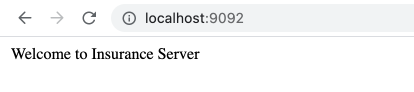
After successfully executes the above code snippet you can check Insurance Company server availablity by navigate to localhost:9092 in your browser.
Default setting will run the bank server on port 9092.
If your port is used by another process in your machine you can run the bank server on different port by replacing
the 9092 on line number 100 in index.js file.
It will print the following information on your browser when you navigate to localhost:9092.
If you change the host or port please use the necessary changes to the URL and check.
Swagger API Documentation
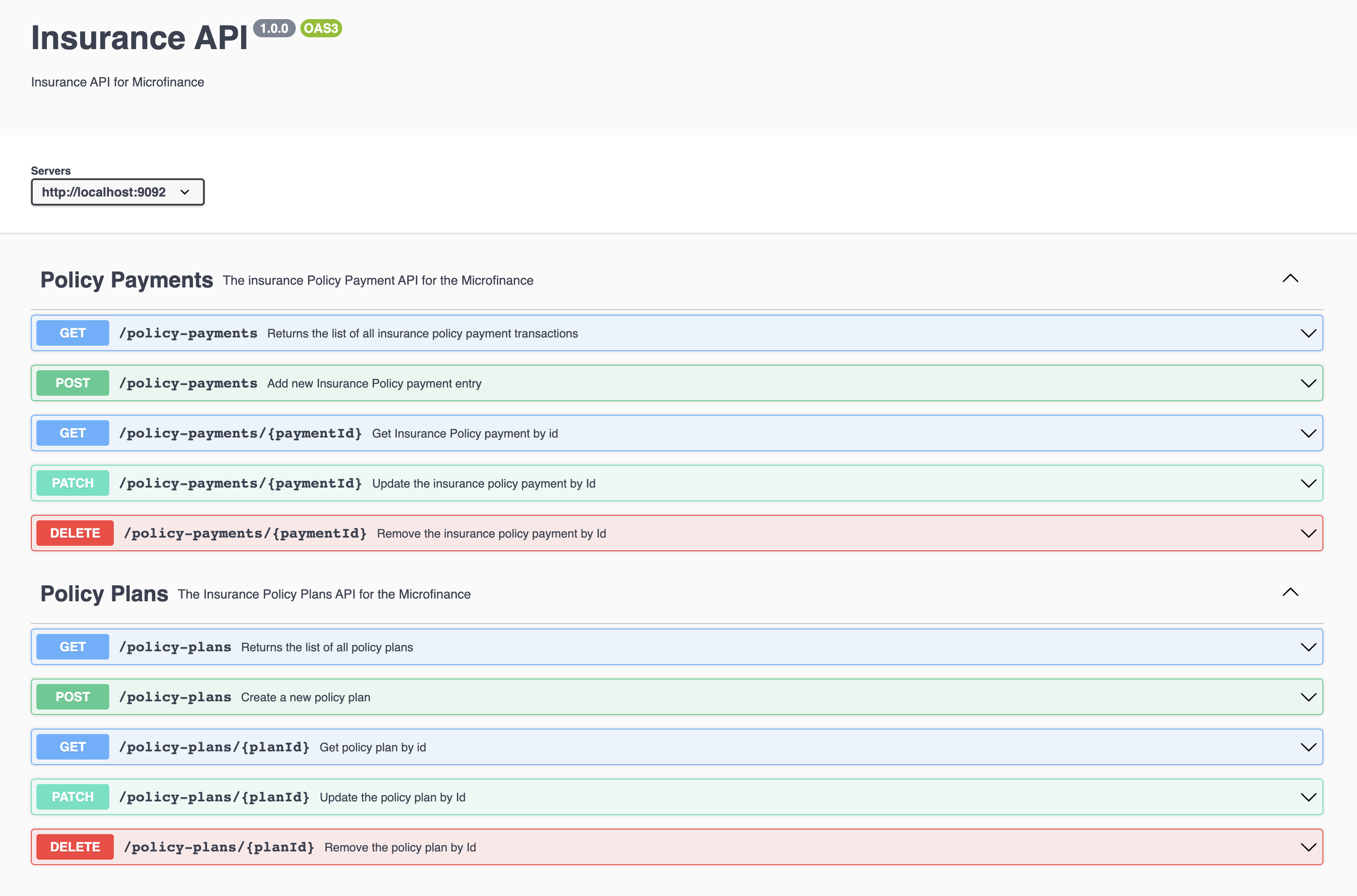
To view the API documentation yoou can navigate to localhost:9092/api-docs.
You can view the following information on your browser.