Smart Contract Migration
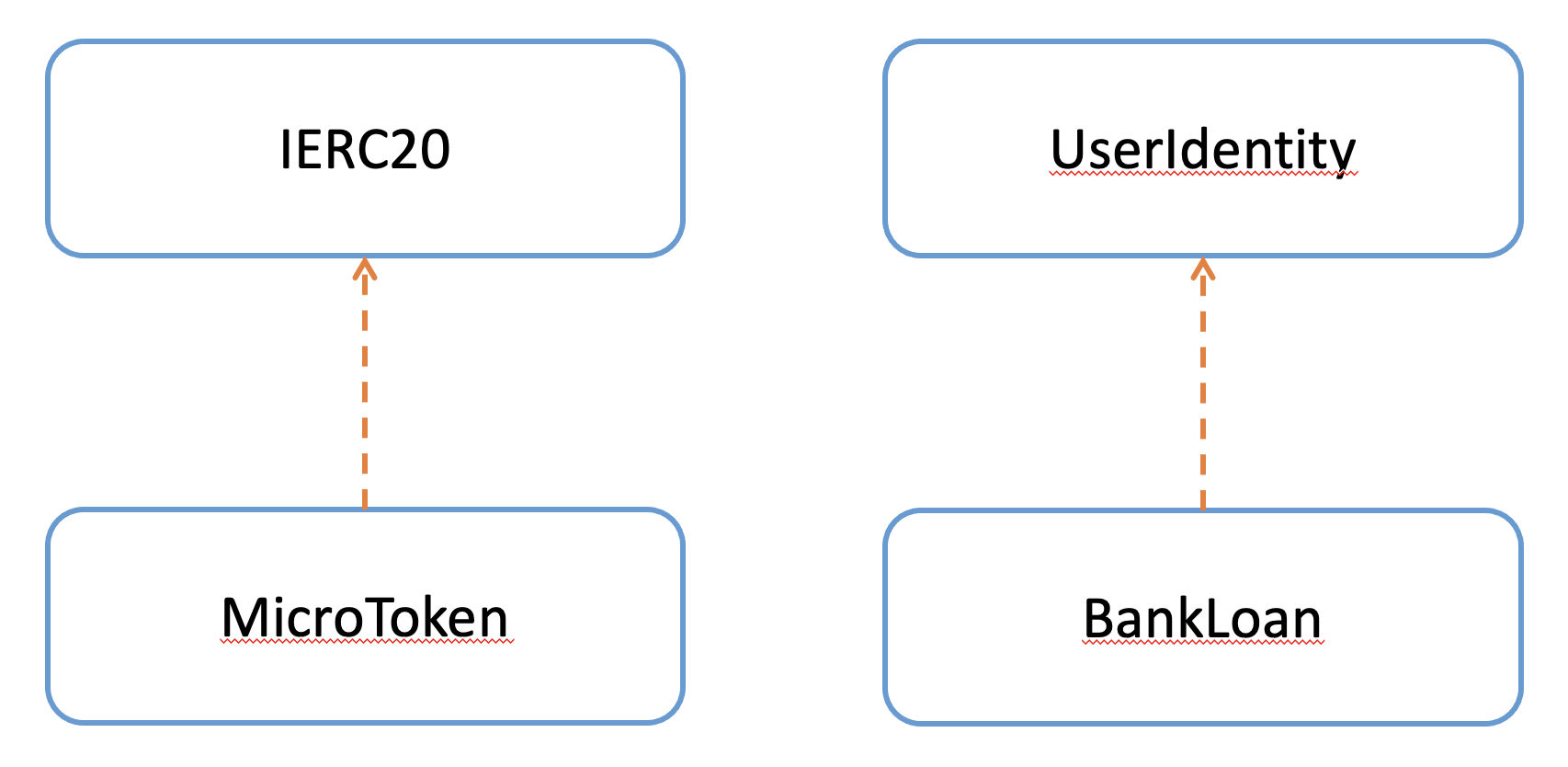
Smart Contract Dependency Diagram
The following diagram shows the dependency between smart contracts.
The MicroToken smart contract implements the ERC20 Token Interface (IERC20).
The UserIdentity smart contract stores the stake holders’ details.
The BankLoan, InsurancePolicy, LoanPayment smart contracts make use of the UserIdentity smart contract to verify users.
Initial Migration
Truffle uses a migration contract Migrations.sol to help manage the contract migration or deployment to a blockchain.
The migration contract must contain a specific interface, but you’re free to edit this contract at will.
For most projects, this contract will be deployed initially as the first migration and won’t be updated again.
You will also receive this contract by default when creating a new project with truffle init.
Filename: contracts/Migrations.sol
You must deploy this contract inside your first migration in order to take advantage of the migration feature.
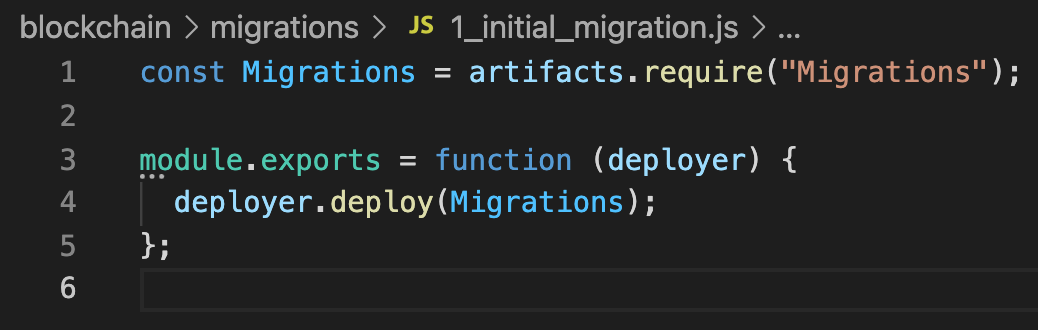
The following migration is provided by default when creating a new project with truffle init:
Filename: migrations/1_initial_migration.js
You can find more details in Truffle Running Migration.
Micro Token Smart Contract Migration
Migration code for the MicroToken smart contract:
const MicroToken = artifacts.require("MicroToken");

module.exports = function(deployer) {
    deployer.deploy(MicroToken);
};
Filename: migrations/2_micro_token_migration.js
At the beginning of the migration, we tell Truffle we’d like to interact with MicroToken via the artifacts.require() method.
The name specified should match the name of the contract definition within that source file.
Do not pass the name of the source file, as files can contain more than one contract.
Then we can use deployer.deploy method to deploy the MicroToken smart contract.
User Identity and Bank Loan Smart Contract Migration
We use the following code to deploy UserIdentity and other smart contracts.
const UserIdentity = artifacts.require("UserIdentity");
const BankLoan = artifacts.require("BankLoan");

module.exports = async function(deployer, network, accounts)
{
    await deployer.deploy(UserIdentity);
    const userIdentityInstance = await UserIdentity.deployed();

    await deployer.deploy(BankLoan, userIdentityInstance.address);
};
Filename: migrations/3_user_identity_migration.js
As described in the above migration, first we insert all the contracts we’d like to interact (UserIdentity and BankLoan).
As shown in the above Smart Contract Dependency Diagram, the BankLoan smart contract needs the UserIdentity smart contract address to deploy.
We first deploy the UserIdentity smart contract.
We use the async/await methods to deploy these contracts.
After deploying the UserIdentity smart contract, we wait for it to complete the deployment.
Then we deploy other three smart contracts with the UserIdentity smart contract address as a parameter.
Bank is the owner of the UserIdentity, BankLoan, and LoanPayment smart contracts.
For the InsurancePolicy smart contract, Insurance Company is the owner.
To fulfill this requirement, we deploy the InsurancePolicy smart contract using a different account.
We can define optional parameters as the third argument for the deployer.deploy function.
We specify the second account of the accounts array as the deployer account for the InsurancePolicy smart contract.
If we did not specify the deployer account, it will take the first account as the deployer account.